


المخزون
Import Inventory Items in Bulk
The “Import Inventory Items in Bulk” feature in RETM allows you to add a large number of inventory items at once via an Excel file, which saves time and effort compared to manually entering each item individually. This feature helps ensure data is entered accurately and quickly — especially when setting up the system initially or periodically updating inventory data.
Steps to Import Inventory Items
- From the dashboard, go to Inventory, then select Inventory Items from the menu.
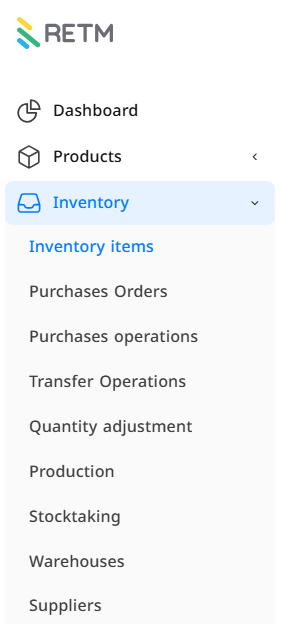
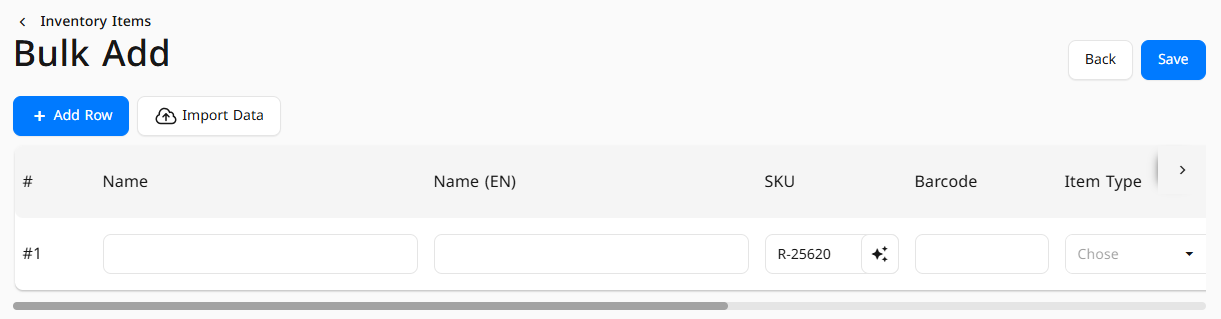
- Click the downward arrow next to the + Add button, then choose Bulk Add.

- A window will appear — click Import Data.
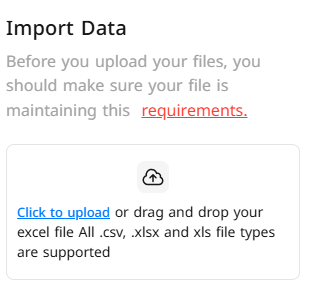
- A new window will open, click on Requirements.
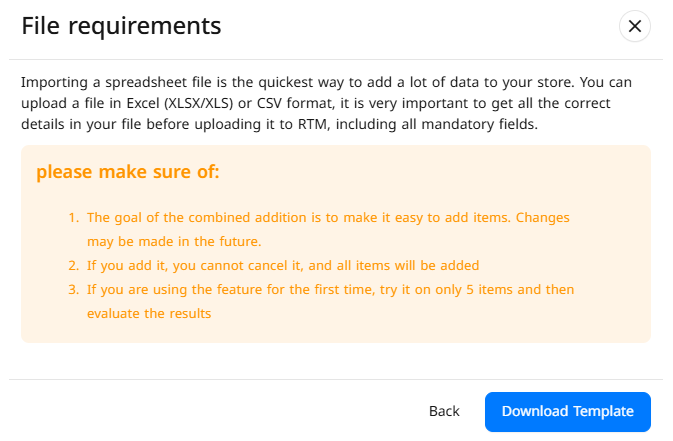
- Another window will open — click Download Template.
- This will download an Excel file containing all the required fields for adding inventory items.
- Open the Excel file and enter your inventory items data according to instructions in the template. Then save the file after entering data correctly.
- Return to the same window in RETM and upload the filled file.
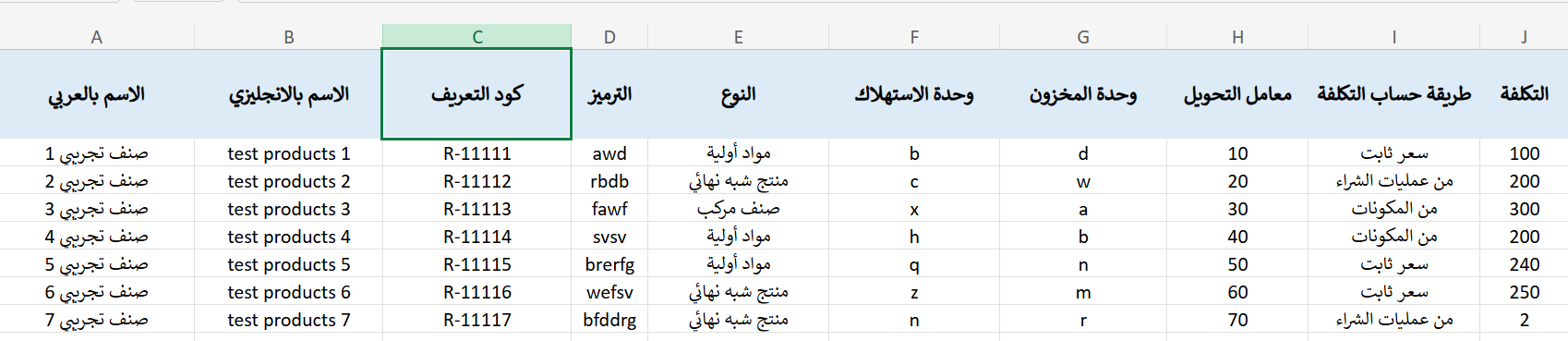
- Verify the data, then click Import.
- Click Click to Upload to complete the upload successfully.
Frequently Asked Questions
What is the maximum number of items that can be imported at once ?
There is no fixed limit, but it is recommended to split data into smaller batches to ensure faster processing and avoid errors.
What should I do if I encounter an error during import ?
Ensure all data in the Excel file matches the template requirements. Make sure there are no empty cells or incorrect data. Also review the error message displayed to understand the reason and fix it.
Can I update existing items via import ?
No — this import template only supports adding new inventory items. You cannot use it to update existing items.
What data is required in the import file ?
The file must include essential information such as item name, item code, category, quantity, and price. For full details, refer to the template after downloading.
Can I import items with images ?
No — the import only supports textual data (i.e. no images).

